AI Listing Improvements
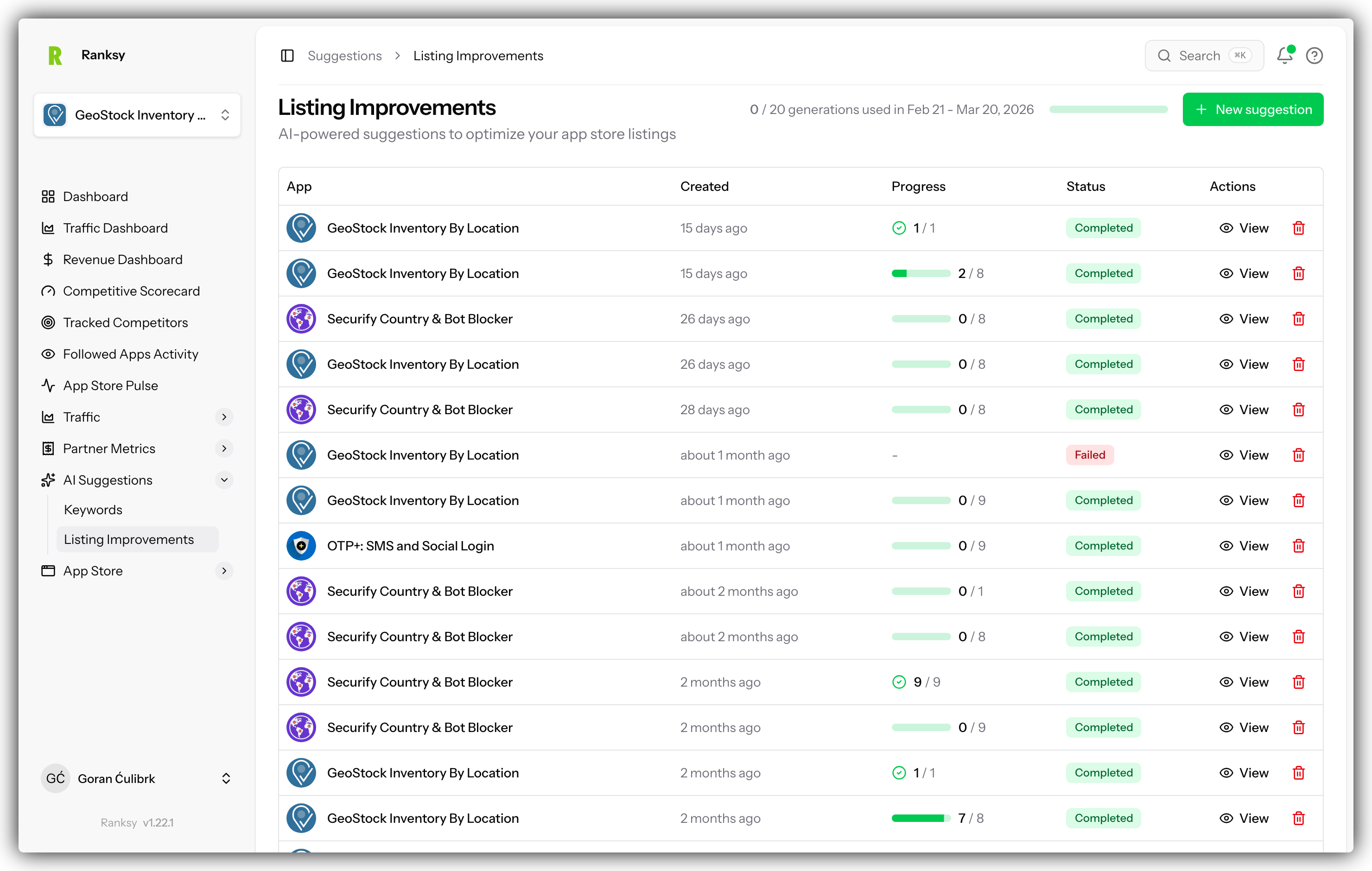
AI Listing Improvements analyzes your app store listing and provides specific recommendations to improve conversions, rankings, and overall performance.
Accessing AI Listing Improvements
- Go to My Apps and select your app
- Click Suggestions in the sidebar navigation
- Select Listings from the submenu
How It Works
Our AI evaluates your listing against:
- Best Practices - Shopify App Store guidelines
- Top Performers - What successful apps do
- Your Competitors - How you compare
- Conversion Data - What drives installs
- Search Optimization - Keyword placement
Listing Score
Overall Score
Your listing receives a score from 0-100:
- 90-100: Excellent, minor tweaks only
- 70-89: Good, some improvements needed
- 50-69: Fair, significant opportunities
- Below 50: Needs attention, prioritize improvements
Score Components
The overall score combines:
- App Name optimization
- Tagline effectiveness
- Description quality
- Screenshot impact
- Review management
- Keyword optimization
Improvement Categories
App Name Suggestions
Recommendations for your app name:
- Keyword inclusion opportunities
- Length optimization
- Clarity and memorability
- Brand positioning
Example Suggestion:
"Consider including 'inventory' in your app name. It's a high-volume keyword in your category and you currently rank #23 for it."
Tagline Improvements
Your tagline is crucial for first impressions:
- Value proposition clarity
- Keyword placement
- Character limit usage
- Emotional appeal
Example Suggestion:
"Your tagline is 45 characters. You have room to add your primary benefit. Consider: 'Automate inventory sync across all channels'"
Description Optimization
Detailed recommendations for your description:
- First 200 characters (most important)
- Feature highlighting
- Keyword density
- Call-to-action placement
- Formatting and readability
Example Suggestion:
"Your first paragraph doesn't mention your primary keyword. Move 'inventory management' to the first sentence for better search visibility."
Screenshot Recommendations
Visual optimization suggestions:
- Screenshot count (aim for 4-6)
- Text overlay effectiveness
- Feature demonstration
- Mobile vs desktop views
- Sequence and storytelling
Example Suggestion:
"You have 3 screenshots. Top-performing apps in your category average 5. Add screenshots showing your reporting dashboard and mobile view."
Review Response Strategy
Recommendations for managing reviews:
- Response rate analysis
- Response quality tips
- Negative review handling
- Review solicitation timing
Example Suggestion:
"You've responded to 60% of reviews. Aim for 100% response rate. Responding to all reviews, especially negative ones, improves trust."
Priority Levels
High Priority
Issues significantly impacting performance:
- Missing critical keywords
- Poor first impression elements
- Low screenshot count
- Unaddressed negative reviews
Medium Priority
Opportunities for meaningful improvement:
- Description optimization
- Additional keyword opportunities
- Screenshot enhancements
- Response improvements
Low Priority
Fine-tuning suggestions:
- Minor wording changes
- Advanced optimizations
- A/B testing ideas
Implementing Improvements
Step-by-Step Process
- Review All Suggestions - Understand the full picture
- Prioritize High Impact - Start with high priority items
- Make Changes in Shopify - Update your Partner Dashboard
- Wait for Sync - Changes appear within 24 hours
- Track Results - Monitor rankings and conversions
- Iterate - Refresh suggestions after changes
Best Practices
Do:
- Implement one category at a time
- Document changes you make
- Wait 1-2 weeks to measure impact
- Keep suggestions handy for reference
Don't:
- Change everything at once
- Ignore your brand voice
- Copy competitor listings exactly
- Expect instant results
Competitor Comparison
How You Compare
See how your listing stacks up:
- Description length comparison
- Screenshot count comparison
- Review count and rating
- Response rate comparison
Learning from Competitors
Use competitor insights to:
- Identify gaps in your listing
- Find differentiation opportunities
- Understand category standards
- Spot trends to adopt or avoid
A/B Testing Ideas
Suggested Tests
Based on your listing, we suggest:
- Alternative taglines to test
- Screenshot order variations
- Description opening variations
- Feature highlight options
Running Tests
While Shopify doesn't support native A/B testing:
- Make a change
- Track metrics for 2-4 weeks
- Compare to baseline
- Keep winner, test next variation
Refreshing Suggestions
When to Refresh
- After implementing changes
- Monthly for new ideas
- When competitors update
- After significant ranking changes
Click Refresh
Use the Refresh Analysis button to get updated suggestions based on your current listing.
FAQ
Q: How often should I update my listing? A: Review monthly, update quarterly at minimum. More frequent updates if underperforming.
Q: Will changes hurt my current rankings? A: Improvements typically help. Avoid removing keywords you rank well for.
Q: Should I follow every suggestion? A: Focus on high-priority items first. Some suggestions may not fit your brand.
Q: How long until changes take effect? A: Listing updates sync within 24 hours. Ranking impact visible in 1-2 weeks.
Q: Can AI write my description? A: We provide suggestions, not full rewrites. Maintain your authentic voice.
Q: Do suggestions consider my niche? A: Yes, recommendations are tailored to your category and competitors.
Need more traffic? Combine listing improvements with AI Keyword Suggestions for maximum impact.