How to Follow an App

Learn how to follow Shopify apps in Ranksy to track competitors, monitor market trends, and stay updated on app changes.
What Does Following an App Do?
When you follow an app in Ranksy, you can:
- Track competitor movements and strategies
- Monitor ranking changes across categories
- See when they update their app
- Compare their performance to your own apps
- Keep tabs on market leaders
Following is different from adding to My Apps:
- My Apps: Full analytics access for apps you manage
- Following: Quick monitoring of apps you want to track
How to Follow an App
Step 1: Find the App
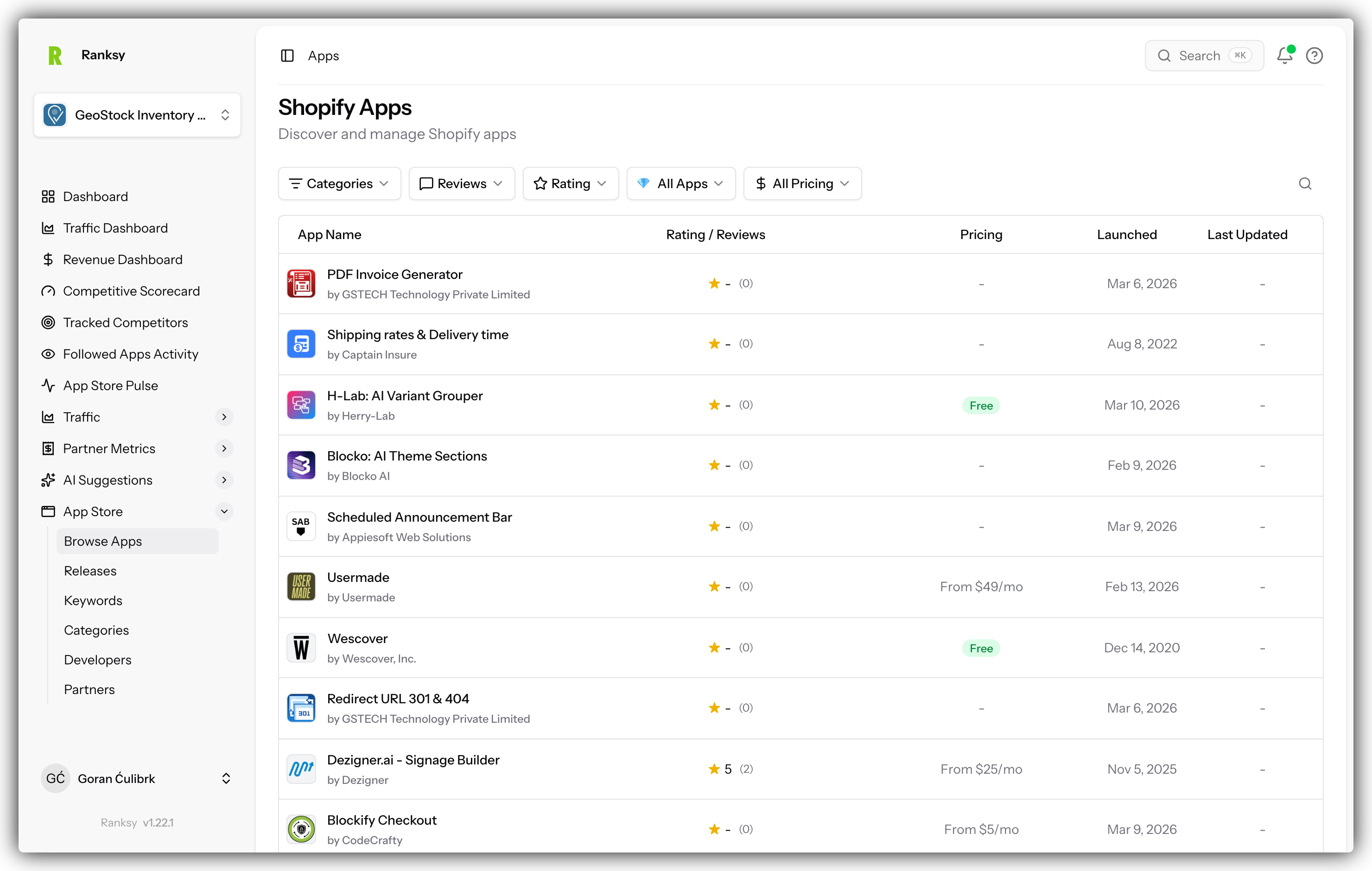
- Go to "Apps" in the main navigation
- Search for the app you want to follow
- Or browse categories to discover apps
- Click on the app to view its profile
Step 2: Click Follow
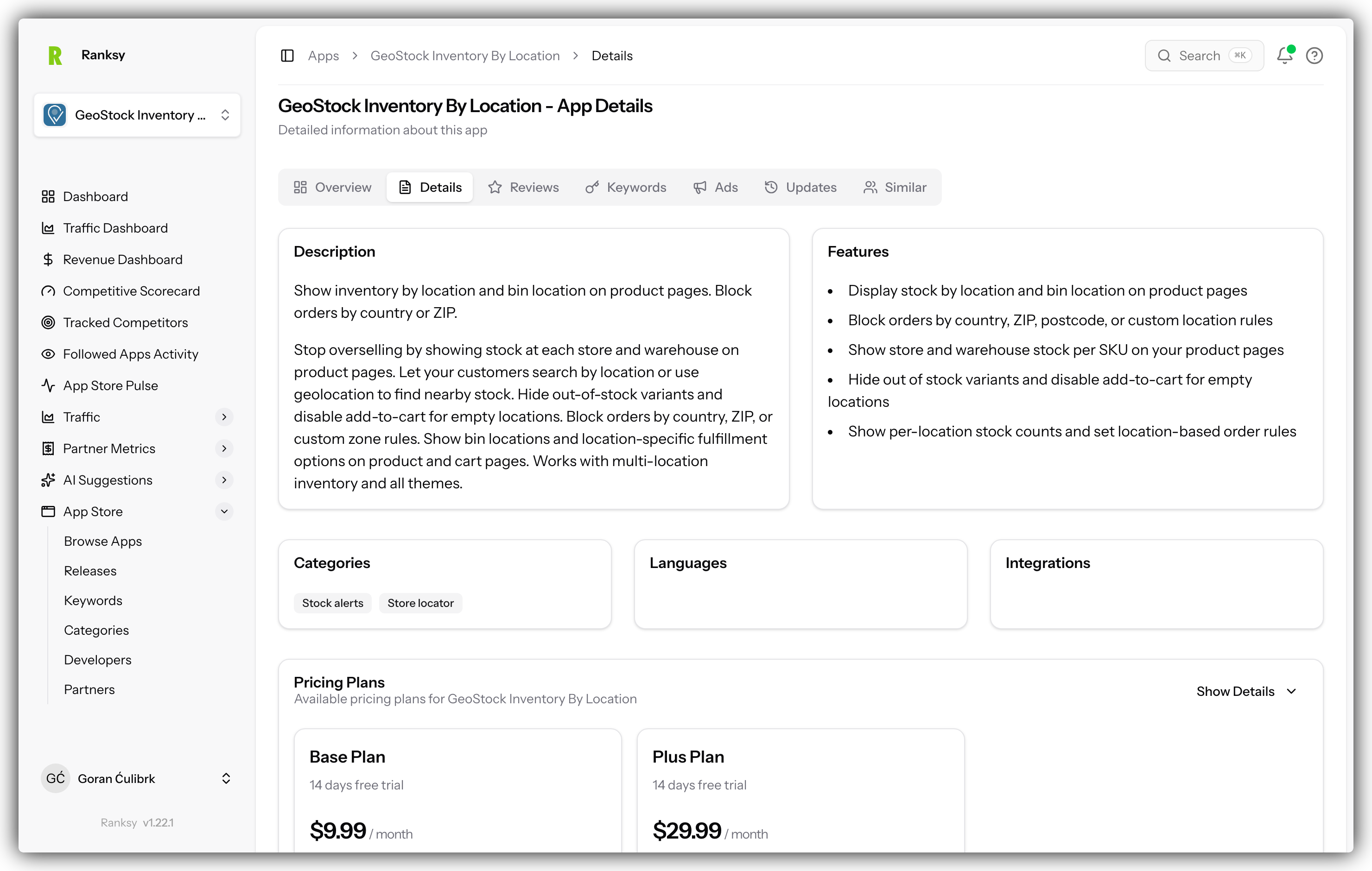
On the app's profile page:
- Look for the "Follow" button near the top
- Click the button
- The button changes to "Following" with a checkmark
- That's it! You're now following the app
Step 3: View Followed Apps
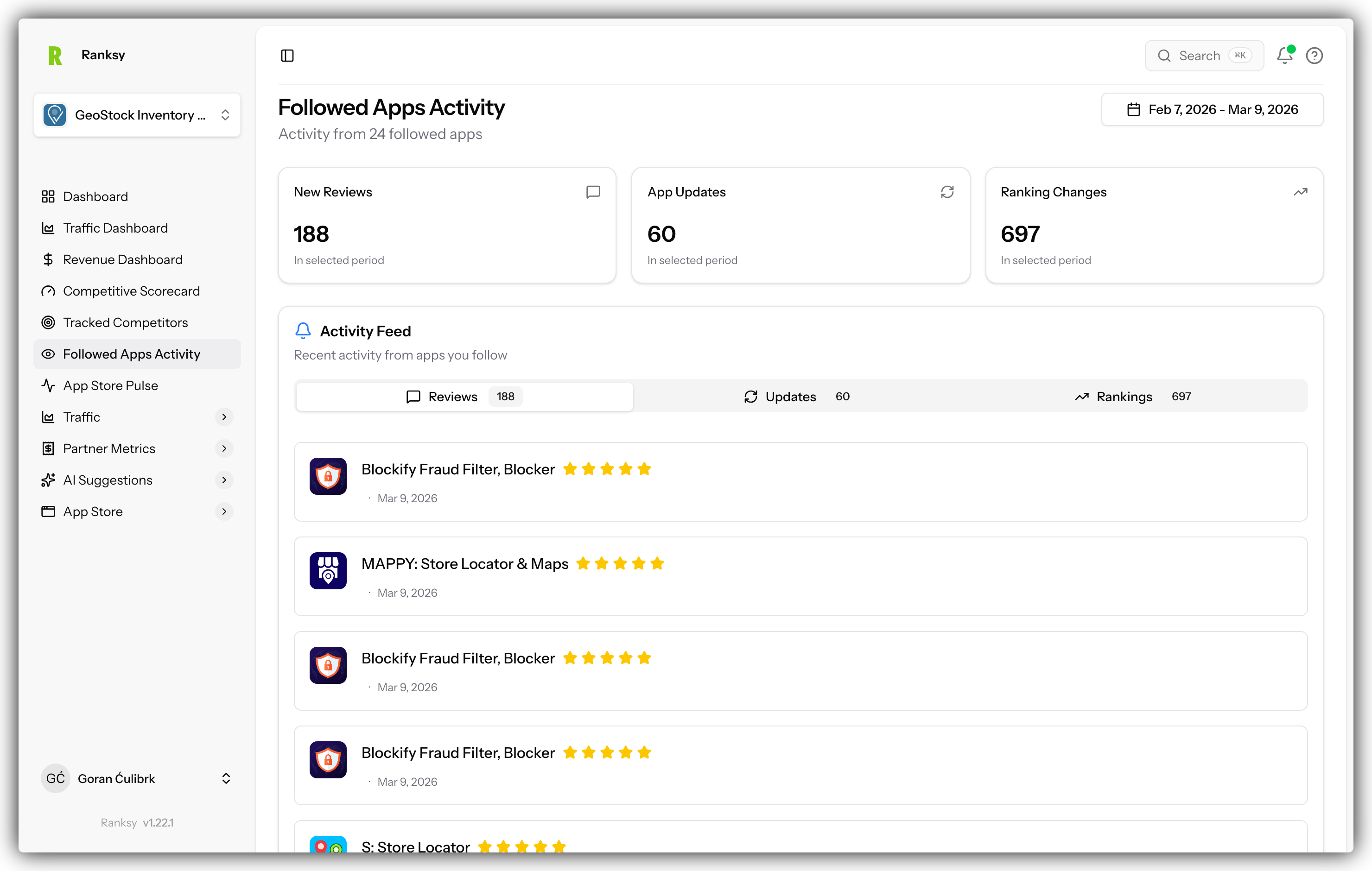
To see all apps you're following:
- Click "Followed Apps" in the main navigation
- You'll see a list of all apps you follow
- Search, filter, and sort just like the main Apps page
- Click any app to view its public profile
Managing Followed Apps
Unfollow an App
To stop following an app:
- Go to the app's profile page
- Click the "Following" button
- It changes back to "Follow"
- The app is removed from your Followed Apps list
Or from the Followed Apps page:
- Go to "Followed Apps"
- Click on the app you want to unfollow
- Click "Following" to unfollow
Filter Your Followed Apps
On the Followed Apps page, you can:
- Search by app name or developer
- Filter by category
- Filter by rating range
- Filter by review count
- Sort by name, rating, reviews, or last updated
- Filter for Built for Shopify apps only
When to Follow Apps
Competitive Research
Follow your direct competitors to:
- See how they rank in shared categories
- Monitor their review trends
- Track when they launch updates
- Understand their market positioning
Market Intelligence
Follow category leaders to:
- Learn from successful apps
- Spot market trends early
- Identify opportunities
- Benchmark your performance
Discovery
Follow apps you find interesting:
- Save apps for later research
- Build a watchlist for potential partnerships
- Track emerging apps in your niche
Following vs. My Apps
Choose the right option for your needs:
| Feature | Following | My Apps |
|---|---|---|
| Purpose | Monitor competitors | Track your portfolio |
| Data Access | Public data only | Full analytics (with integrations) |
| Limit | Unlimited | Unlimited |
| Analytics Dashboard | ❌ | ✅ |
| Revenue Data | ❌ | ✅ (with Partner API) |
| Traffic Data | ❌ | ✅ (with BigQuery) |
| Ranking History | ✅ | ✅ |
| Reviews & Ratings | ✅ | ✅ |
Pro Tip: You can both Follow an app AND add it to My Apps if you want complete visibility.
Tips for Following Apps
Build a Competitor Set: Follow 5-10 direct competitors in your niche for consistent monitoring.
Track Different Tiers: Follow apps at different success levels:
- Market leaders (learn from the best)
- Mid-tier competitors (your direct competition)
- New entrants (spot emerging threats)
Follow Your Category Top 10: Follow the top-ranked apps in your main categories to understand the competitive landscape.
Regular Review: Check your Followed Apps weekly to spot changes and trends.
Next Steps
Now that you're following apps:
- View Category Rankings - See how followed apps rank in categories
- Check Keyword Rankings - Find apps ranking for important keywords
- Compare Performance - Analyze followed apps vs. your own apps
- Add Apps to My Apps - Upgrade to full analytics for your own apps
Frequently Asked Questions
Q: How many apps can I follow? A: There's no limit. Follow as many apps as you need.
Q: Will the app developer know I'm following them? A: No. Following is completely private. Only you can see your followed apps list.
Q: What's the difference between Following and adding to My Apps? A: Following is for monitoring competitors with public data. My Apps is for your own apps with full analytics access.
Q: Can I follow and track apps in My Apps? A: Yes! You can do both. This gives you full analytics for your app plus the ability to see it in your followed list.
Q: Do I get notifications when a followed app updates? A: Currently, notifications aren't available, but you can check the Followed Apps page to see recent updates.
Q: Can I export my followed apps list? A: Yes, from the Followed Apps page you can export the list.
Need help? Contact support at [email protected] or use the chat widget.