The Affiliate Portal
This guide is for affiliates: the people who promote an app. The affiliate portal at affiliates.ranksyapp.com is where you join programs, copy your referral links, and see what you earned.
The app's team runs the program, sets the commission and pays you. Ranksy tracks your referrals and keeps the record.
Join a program
You join through the team that runs the program, in one of two ways.
From a signup link
- Open the signup link the team gave you. It shows the program name and its apps.
- If the program has terms, read them and check I accept the program terms.
- Click Continue with Google, or sign up with your name, email and a password and click Create account with email.
- If you signed up with email, confirm your address from the email Ranksy sends.
If the program needs approval, your request shows as pending until the team reviews it. Ranksy emails you when they decide.
Already have an account? Open the signup link while you're signed in and click Join program.
From an invite email
If the team enrolled you, you get an email with an Open your affiliate portal button. Click Continue with Google with the email address the invite was sent to. If you'd rather use a password, ask the team for the program's signup link and create your account there with the same email.
Sign in
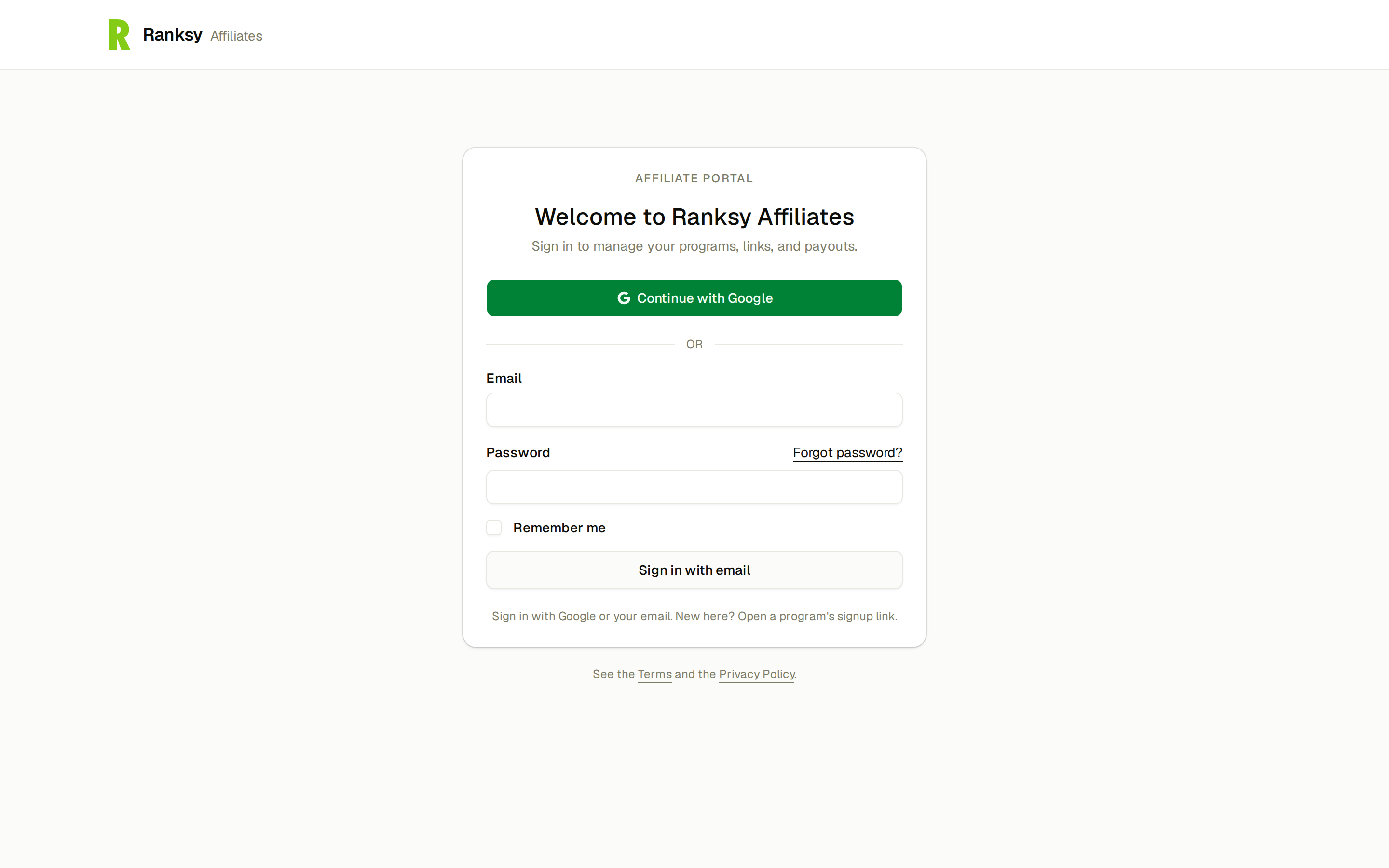
Go to affiliates.ranksyapp.com. Click Continue with Google, or enter your email and password and click Sign in with email. Forgot your password? Click Forgot password? and Ranksy emails you a reset link.
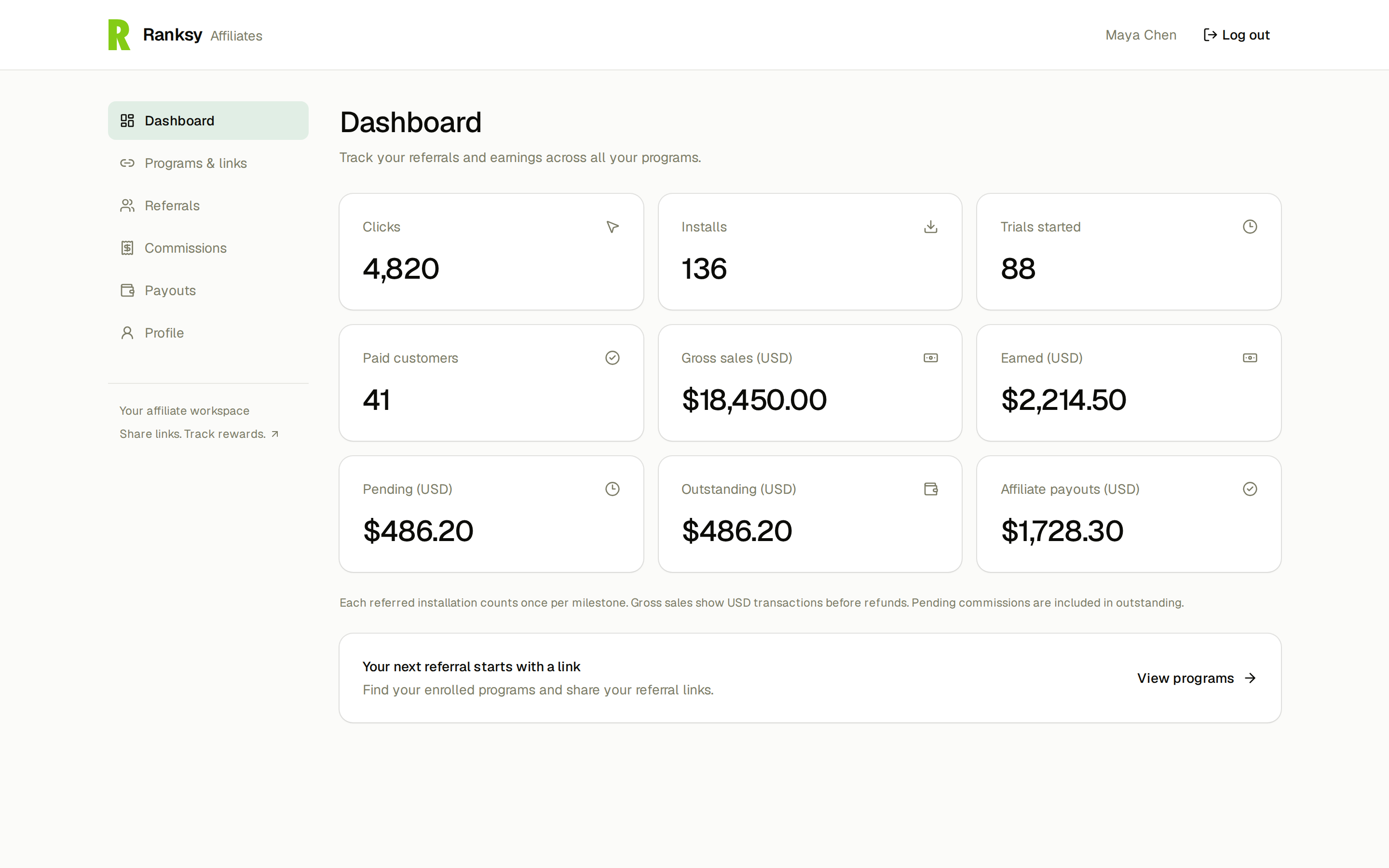
Your pages
| Page | What you find there |
|---|---|
| Dashboard | Your totals across every program: clicks, installs, trials, paid customers, gross sales, earned, pending, outstanding and payouts |
| Programs & links | Each program you belong to, grouped by team, with your referral link for each app and your results |
| Referrals | The installs you referred and how far each merchant got |
| Commissions | Each commission you earned and its status |
| Payouts | Your payout history and the Request payout button |
| Profile | Your account, your payout details and your data |
Share your links
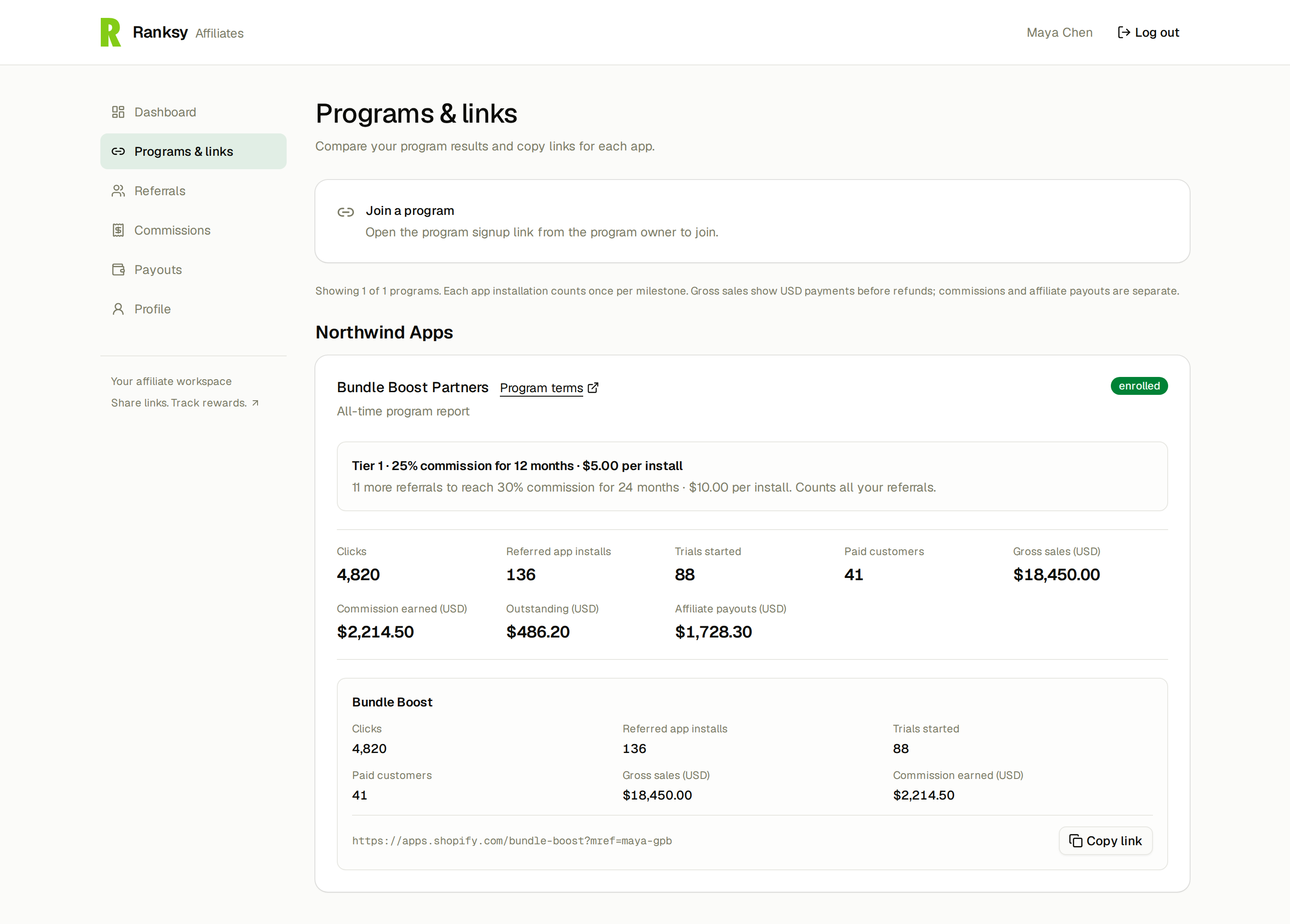
Go to Programs & links. Each app in a program has its own link. Click Copy link and share it in your videos, posts, newsletters or client emails.
A merchant who clicks your link lands on the app's Shopify App Store listing. When they install, Ranksy credits the install to you. Commission then follows the program's rules, for example a share of what the merchant pays for a set number of months.
Each program card also shows your results: clicks, referred installs, trials started, paid customers, gross sales, commission earned, outstanding balance and payouts. If the program has tiers, you see your current tier and how many more referrals you need to reach the next one.
Don't see your links? If the program has terms you haven't accepted, click Accept terms on the program card. If the team changes its terms, you accept the new version before your links show again.
Ranksy doesn't credit installs on your own store, or on test stores.
Commission statuses
| Status | Meaning |
|---|---|
| outstanding | Earned, not yet in a payout |
| pending | In a payout the team hasn't paid yet |
| paid | Paid to you |
| cancelled | Cancelled by the team. It won't be paid |
Add your payout details
Do this before you ask to be paid.
- Go to Profile.
- Under Payout details, choose the Team (if you work with more than one).
- Choose a Payout method the team allows: PayPal or International Bank Transfer.
- Fill in every field. PayPal needs your PayPal email. Bank transfer needs Business name, Bank Code (BIC/SWIFT), IBAN, Country, City, Recipient address and Zip.
- Click Save changes.
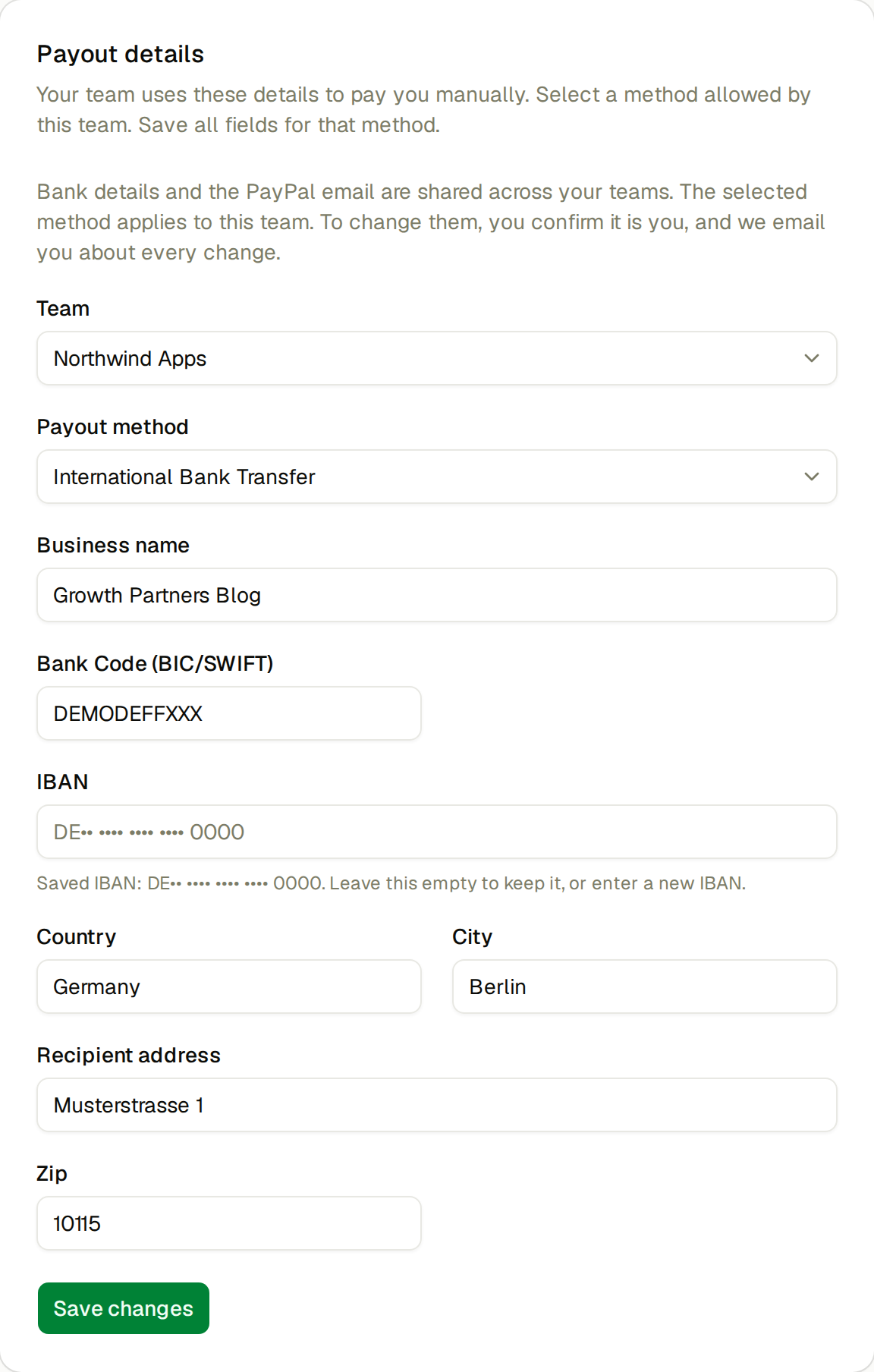
Your bank details and PayPal email are shared across all your teams. The payout method you choose applies to the selected team only. Bank details are stored encrypted, and the portal shows only the last characters of your IBAN.
Keeping your payout details safe. If you haven't signed in within the last 15 minutes, Ranksy asks you to confirm it's you before it saves a change. Enter your password, or click Confirm with Google. Ranksy then emails you about the change. If you didn't make it, reset your password and contact the team that runs the program.
Get paid
- Go to Payouts.
- Click Request payout.
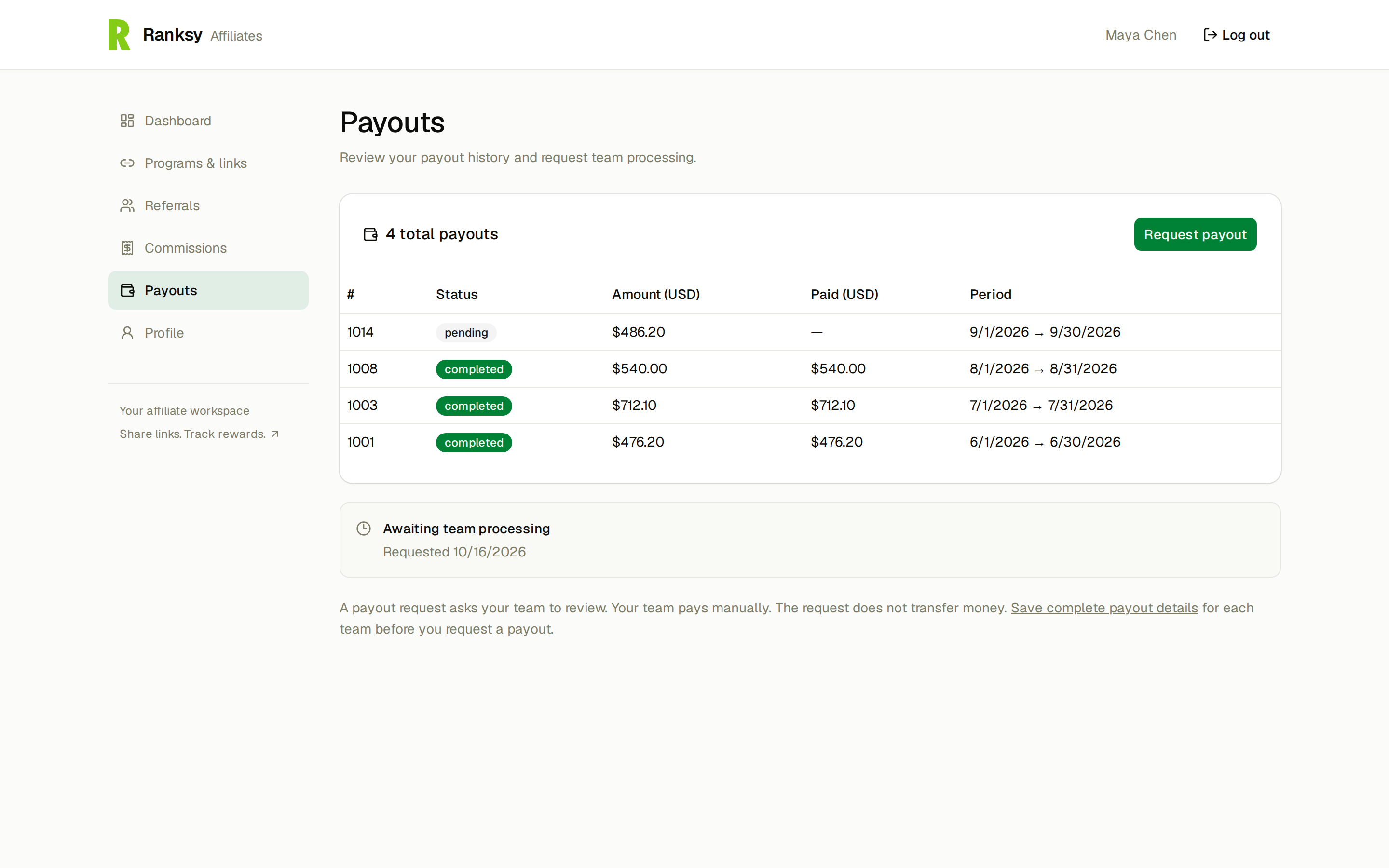
The request tells the team you want to be paid. It doesn't move money. Each team pays you itself, by the method you chose. When the team marks a payout paid, Ranksy emails you the amount and the payment reference.
You can request a payout when:
- your unpaid commission in a program has reached that program's minimum payout. The Payouts page shows how much more you need.
- your payout details for that team are complete
- the team hasn't put your payouts on hold. If it has, contact the team that runs the program.
Once a team marks a payout paid, it's final. A later refund on a merchant you referred doesn't change it.
Archived and paused programs
An archived program takes no new referrals. Merchants you already referred keep earning you commission.
A paused program takes no new referrals and adds no new commission. What you've earned so far stays visible, and the team can still pay it.
Working with more than one team
You can join programs from several teams with one account. Each team keeps its own balance, payouts and payout method. A team sees only its own programs and referrals.
Your data and your account
Under Profile:
- Download my data gives you a copy of your affiliate data. You'll need your password.
- Delete account removes your account. You can delete it once every team has paid your pending payouts, handled your open payout requests and released any hold on money you're owed. Commission that hasn't reached a payout yet is lost when you delete your account.
FAQ
Q: Why doesn't my referral show up? A: Ranksy can only credit installs it can match to your link. Check that you shared the link exactly as copied. Referrals count only after the team approves you, so installs that come in while your request is pending may not be credited. Test store installs and installs on your own store never count.
Q: Can I change my payout method? A: Yes, in Profile. Choose from the methods the team allows.
Q: Who do I ask about my commission rate or a payment? A: The team that runs the program. Ranksy tracks the referrals, but the team sets the terms and sends the money.
Need help? Contact the team that runs your program, or email support@ranksyapp.com.