Affiliate Tracking Prerequisites
Ranksy credits an install to an affiliate only when it can tie that install to the affiliate's link. Each app in a program needs the Shopify Partner API, plus GA4 data in BigQuery or /identify calls from your app. One of the two is enough. Using both catches more installs.
Until this is in place, Ranksy credits no installs and no commission for that app.
How a referral link works
Each affiliate gets one link per app. It looks like this:
https://go.ranksyapp.com/r/your-app/abc123
When a merchant clicks it, Ranksy records the click and sends the merchant to your App Store listing with the affiliate's token added as an mref parameter:
https://apps.shopify.com/your-app?mref=abc123
The token (abc123 here) is what ties the install back to the affiliate.
The Tracking setup card
Open a program and look at the top of its General tab. The Tracking setup card checks each app in the program and marks anything that needs attention with a warning.
Watch the walkthrough (51 seconds):
| What it checks | Passes when | If it doesn't |
|---|---|---|
| Partner API | The Partner API is connected | Required. Click Connect Partner API. |
| GA4 through BigQuery | BigQuery is connected and synced in the last 48 hours | Click Connect BigQuery, or Reconnect BigQuery if it stopped syncing. |
| identify calls | Your app called the /identify endpoint in the last 30 days |
The check passes after your app's next call. |
| Referral codes through identify | An mref value came through /identify in the last 30 days |
Not required. A reminder to send mref with each call. |
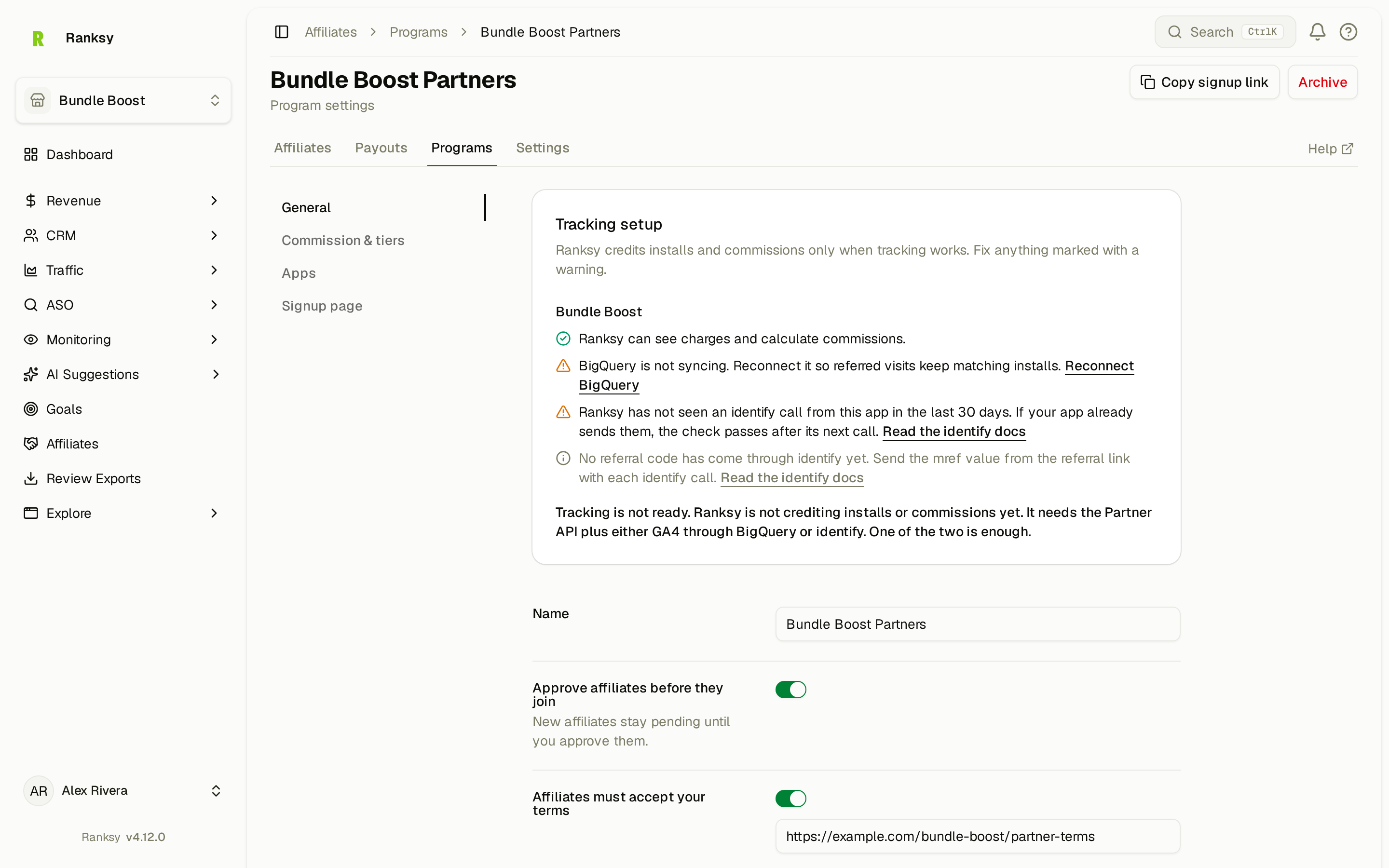
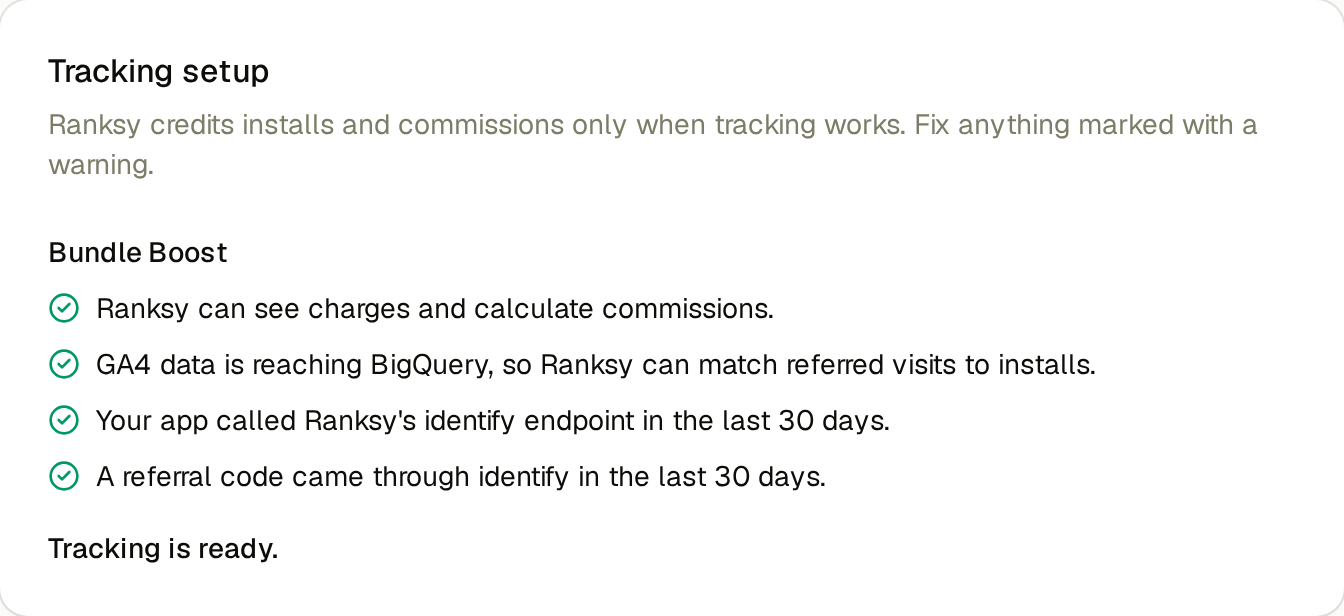
An app is ready when the Partner API works and either GA4 through BigQuery or identify passes. The card then says Tracking is ready.
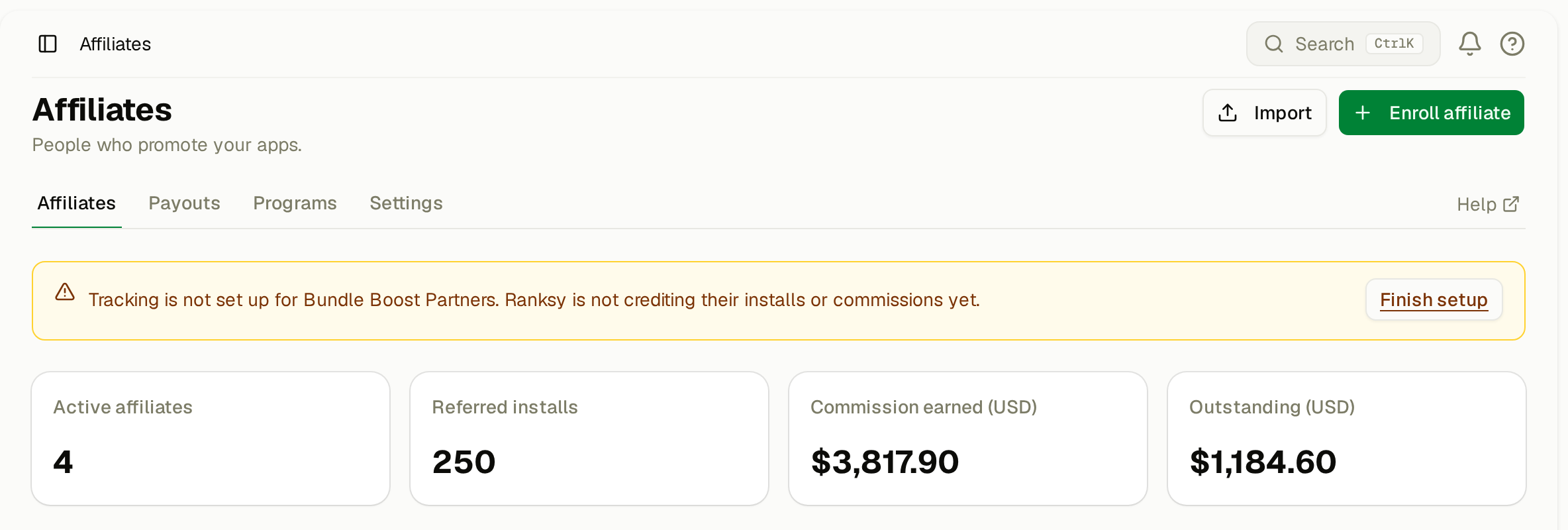
If an app isn't ready, the Affiliates page shows a warning banner with a Finish setup button.
Required: the Shopify Partner API
Connect the Partner API for every app in the program. Ranksy reads installs and charges from it, and every commission is calculated from a Partner API charge. See Connect Partner API.
Then at least one way to match installs
Ranksy tries the methods below. The first match wins, and an install is credited to one affiliate only. Ranksy never credits:
- test store installs
- a shop whose owner email matches the affiliate's email or payout email
- a shop whose owner email matches anyone on your team
Option 1: GA4 data in BigQuery
This needs no code.
- In the Partner Dashboard, add a GA4 measurement ID to your App Store listing.
- Add a Measurement Protocol API secret, so Shopify sends the server-side
shopify_app_installevent. - Export GA4 to BigQuery. See Set Up GA4 BigQuery Export.
- Connect BigQuery in Ranksy. See Connect BigQuery with Service Account.
Ranksy looks for a listing page view whose URL carries mref. It then matches that visit to the same GA4 visitor's install event. The page view must come before the install and no more than 7 days earlier.
GA4 misses visitors who decline analytics cookies or block tracking. Option 2 covers those installs.
Option 2: your app calls /identify
If your app sends merchant data to Ranksy with the /identify endpoint, it can pass referral data too. See the identify docs.
Send the mref value. Add the affiliate token as mref (a string, up to 64 characters). Ranksy checks it against the referral links for that app.
- Ranksy keeps the first valid token it receives for an install. A later one doesn't replace it.
- The token counts only if the affiliate is approved in the program. A token from an affiliate who is still waiting for approval is ignored.
Ranksy's referral links send merchants to your App Store listing, not to your website. Your app can only send mref if your own site received it first, for example when an affiliate links to your site with ?mref=<token>. Save the value on your site, then send it after the install.
Send the merchant's device. Add the merchant's IP address and browser user agent to contacts (the ip and user_agent fields), as your app saw them during install. Ranksy compares them with the referral link clicks. When both match a click from the 7 days before the install, Ranksy credits that affiliate. This works even when no mref reaches your app.
Example: forward mref to Ranksy
On your website, keep the mref value from the URL in a first-party cookie:
const mref = new URLSearchParams(window.location.search).get('mref');

if (mref) {
  document.cookie = `mref=${encodeURIComponent(mref)}; Max-Age=2592000; Path=/; SameSite=Lax; Secure`;
}
After the merchant installs, call /identify from your app's server:
await fetch(`https://ranksyapp.com/api/v1/apps/${RANKSY_APP_ID}/identify`, {
  method: 'POST',
  headers: {
    Authorization: `Bearer ${process.env.RANKSY_API_KEY}`,
    'Content-Type': 'application/json',
  },
  body: JSON.stringify({
    myshopify_domain: session.shop,             // e.g. "acme.myshopify.com"
    shopify_access_token: session.accessToken,  // or send shop_id with a shop object
    mref: req.cookies.mref ?? null,
    contacts: [
      {
        email: shopOwnerEmail,
        ip: req.ip,
        user_agent: req.get('user-agent'),
      },
    ],
  }),
});
RANKSY_APP_IDis the app's ID fromGET /api/v1/apps.- The API key needs the
crm:writescope. Create one under Settings > API Keys. myshopify_domainis required. Send eithershopify_access_tokenorshop_id.- The cookie must be readable where the install happens. That means your website and your app's install flow share a domain.
Check that tracking works
- Make sure the Tracking setup card says Tracking is ready.
- Copy an affiliate's link from Affiliates > the affiliate's page > Links.
- Open it, and install the app on a real store.
- Within a day, the affiliate's Clicks should go up, and the install should appear under Referral progress.
A test store install shows the click but never the referral.
Shops that installed without a link
If an affiliate sent you a merchant who installed without the link, you can credit the shop by hand. On the affiliate's page, click Add referral under Manual entries. A shop can only be referred once. See Invite and Approve Affiliates.
Click data
Ranksy keeps click counts for good. The personal data on a click (IP address, user agent, referrer) is deleted after 12 months.
FAQ
Q: Do I need both BigQuery and /identify?
A: No. One is enough. Using both catches more installs.
Q: What happens if two affiliates could claim the same install? A: The first match wins. Ranksy never splits or moves a credited install.
Need help? Contact support@ranksyapp.com or use the chat widget. Include your app name.